AI for everyone
Awee Desktop is a simple, but powerful AI chat app, built with features to help you multi-task and employ the latest AI technologies.
AI Chat
Powerful conversation tools for the latest AI models
Core Features
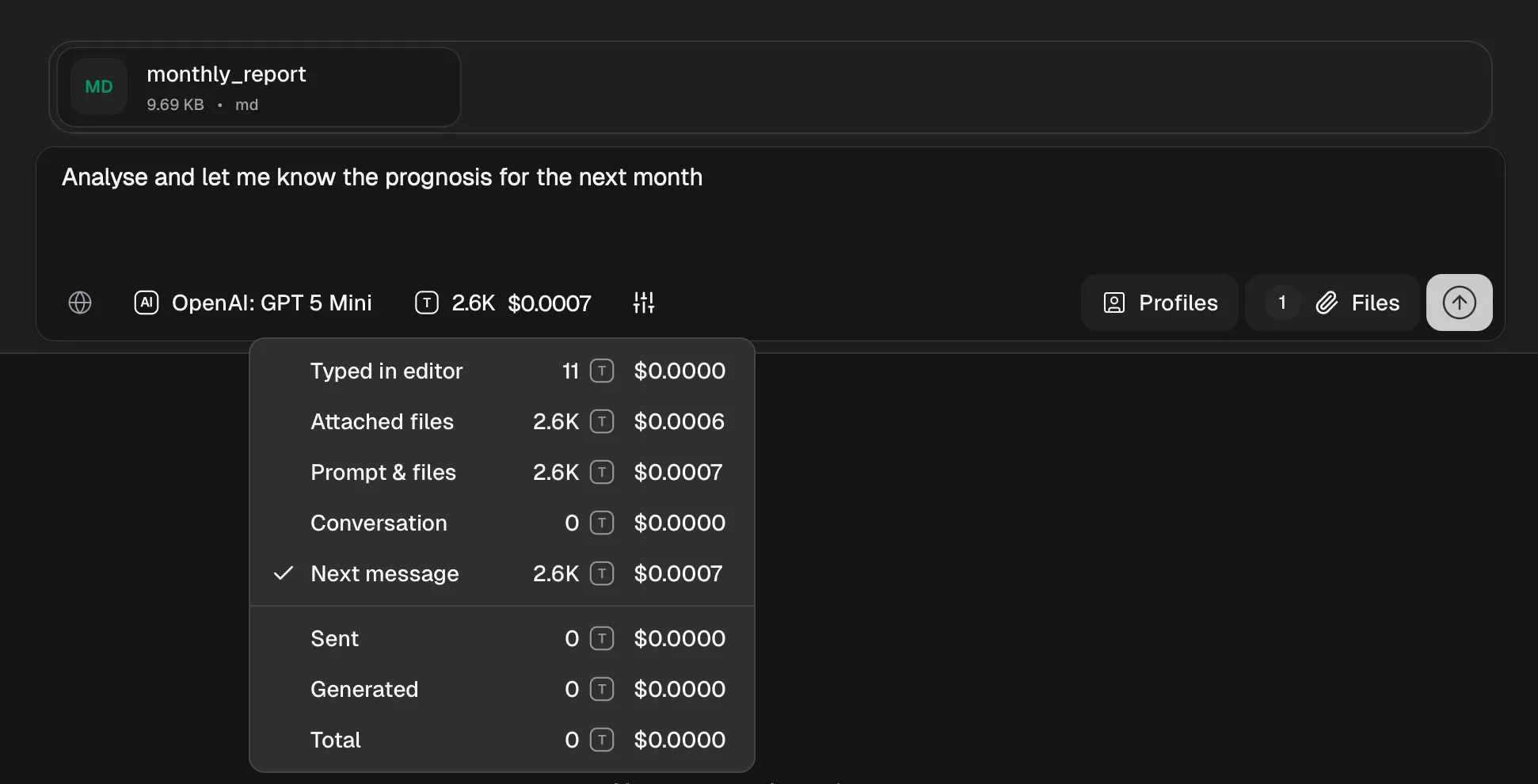
Latest AI models
Access OpenAI, Anthropic, Google models directly, or any provider through OpenRouter and Awee providers
Local models
Full privacy in just a few clicks - connect to your local or network Ollama installation
Text file upload
Attach or paste files directly into conversations
Cost tracking
Real-time cost estimation and usage analytics
Model reasoning
View model's thinking process
Web search integration
AI-powered web search answers
Conversations
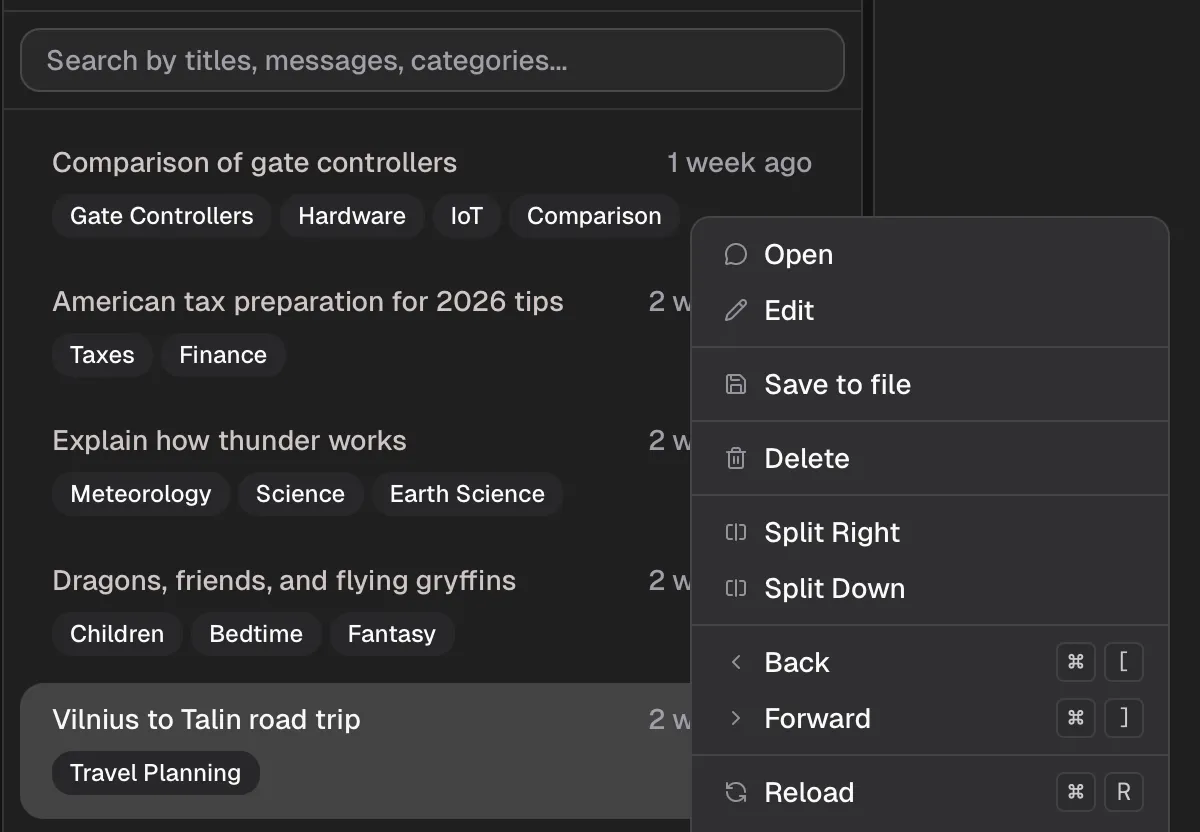
Conversation list
Browse and manage all your conversations
Conversation search
Instant search by title, categories or message contents
Categories
AI automatically creates titles and categories for your conversations
Export conversations
Save entire conversations to files
Diary mode
Save messages to conversation without sending them to AI, switch back to include them in the context
Switch models
Switch between different AI models mid conversation, without losing context
Message editing
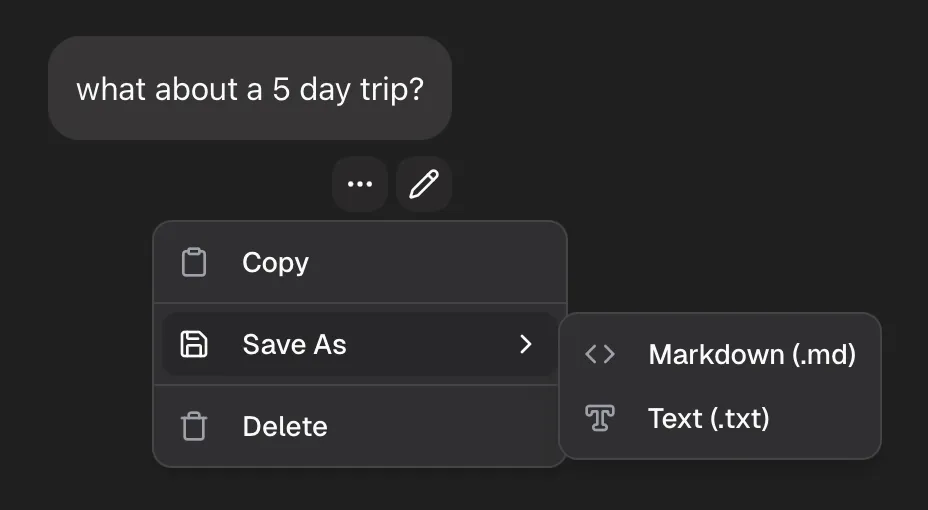
Edit messages
Modify and refine your own or AI generated messages
Delete messages
Remove unwanted messages from conversations
Save message to file
Export individual messages as markdown or text files
Copy message to clipboard
Copy messages as markdown text to your clipboard for easy sharing
AI Profiles
Customize AI behavior with reusable profiles
Message templates
Create unlimited reusable user or system message templates
Prompt templates
Autofill editor with predefined text to add the missing details
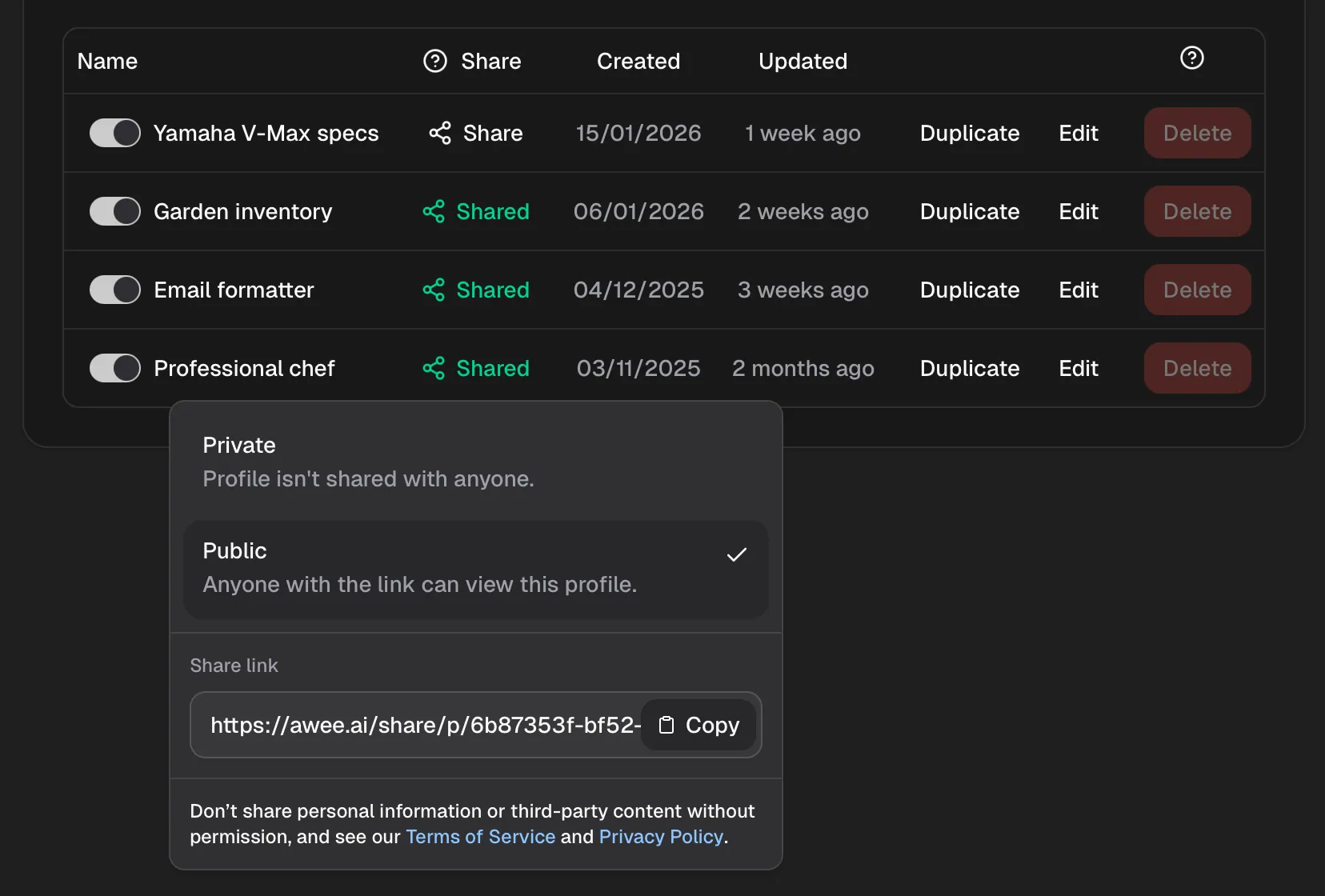
Share profiles
Share profiles with others via a public link and preview it on awee.ai
Import profiles
Import profiles from the community, coworkers or family and friends
Cost Tracking
Monitor and manage your AI spending
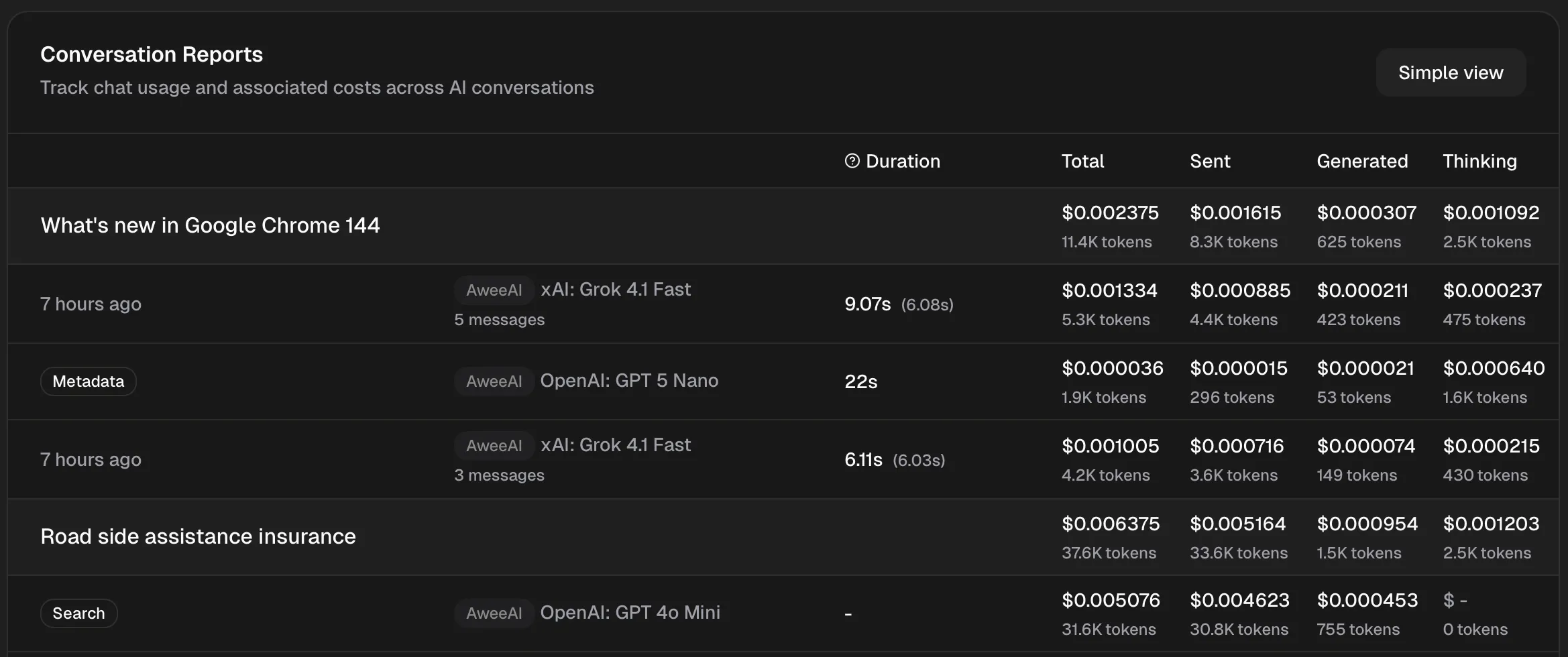
Cost estimation
Estimate costs before sending messages, all offline on your device
Usage analytics
Track spending across models and conversations
Currency conversion
View costs in your preferred currency with daily updated exchange rates
View toggle
Toggle between simplified and detailed usage reports
Accessibility & Convenience
Powerful features for efficient workflows
Window Management
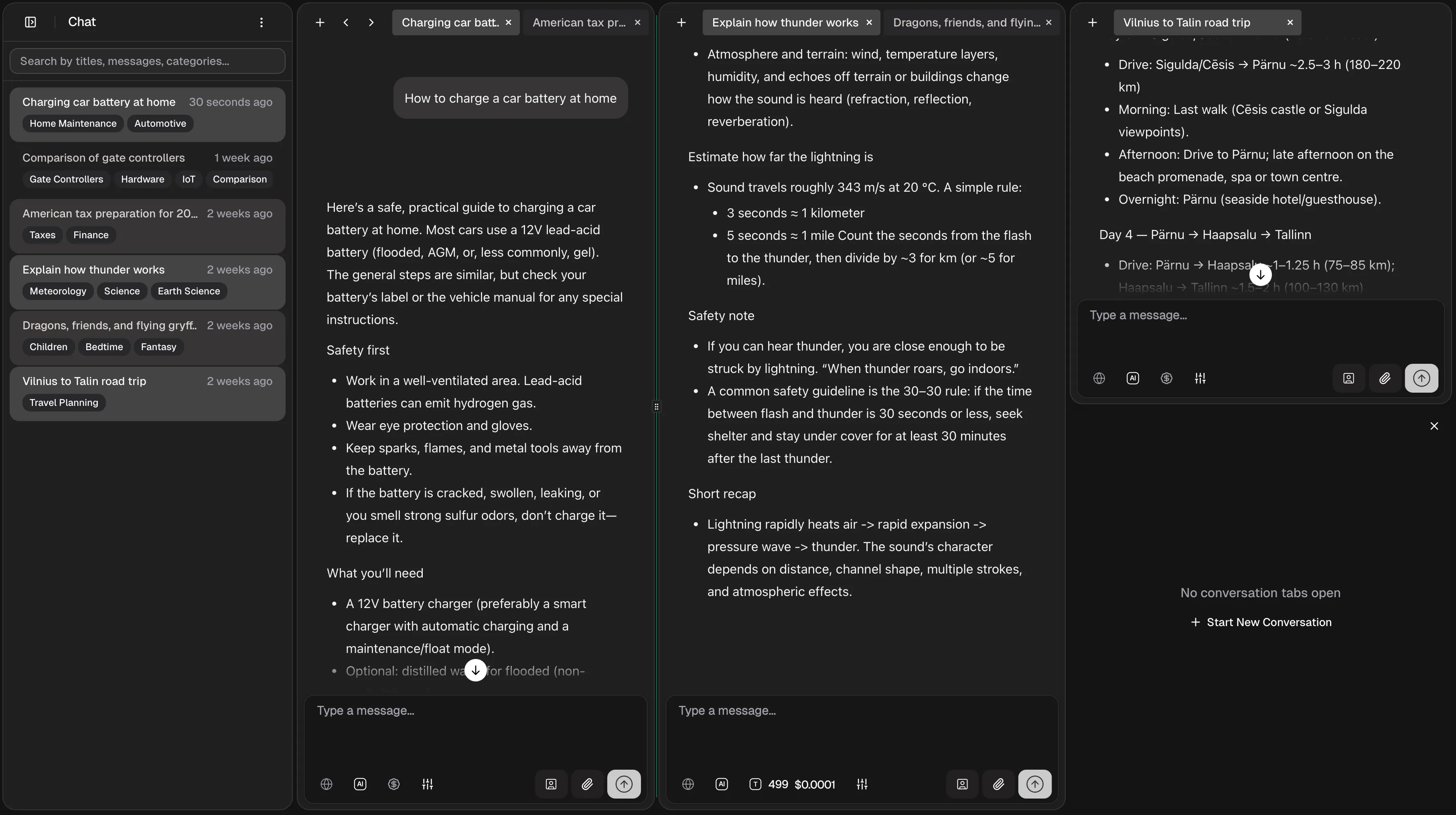
Multiple panes
View multiple conversations side by side, as many as fit your screen
Multiple tabs
Keep multiple conversations open simultaneously, organize by pane
Drag & drop tabs
Rearrange tabs, drag conversations between panes or move tabs to new panes
Resize and hide panes
Adjust pane sizes to your liking or drag them to the side to hide them
Quick Actions
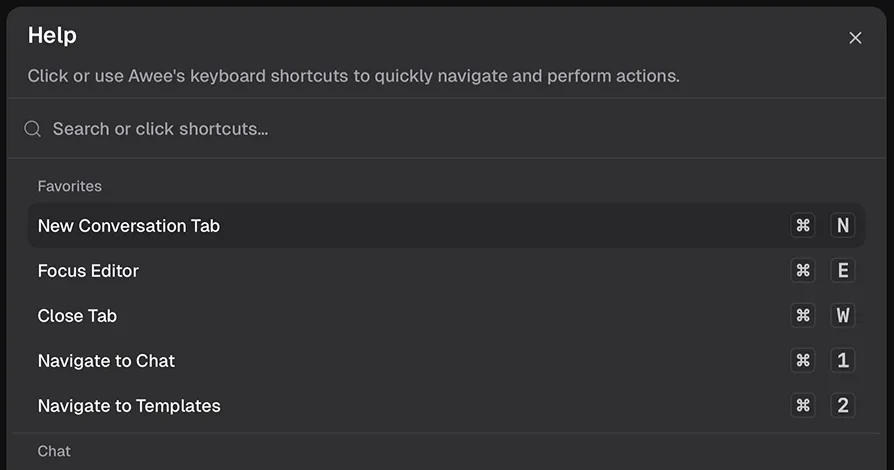
Keyboard shortcuts
Navigate, control and perform actions with your keyboard
Context menu
Right-click on various elements throughout the interface for quick actions
Help center
Access the self-service Help Center from the Help popup
Live chat
Chat with Awee team members in real-time to get help on any issue
Settings
Customize Awee to match your preferences
Themes
Pick between light and dark themes
Currency selection
Display costs in USD, EUR, GBP, JPY or CNY
Model selection
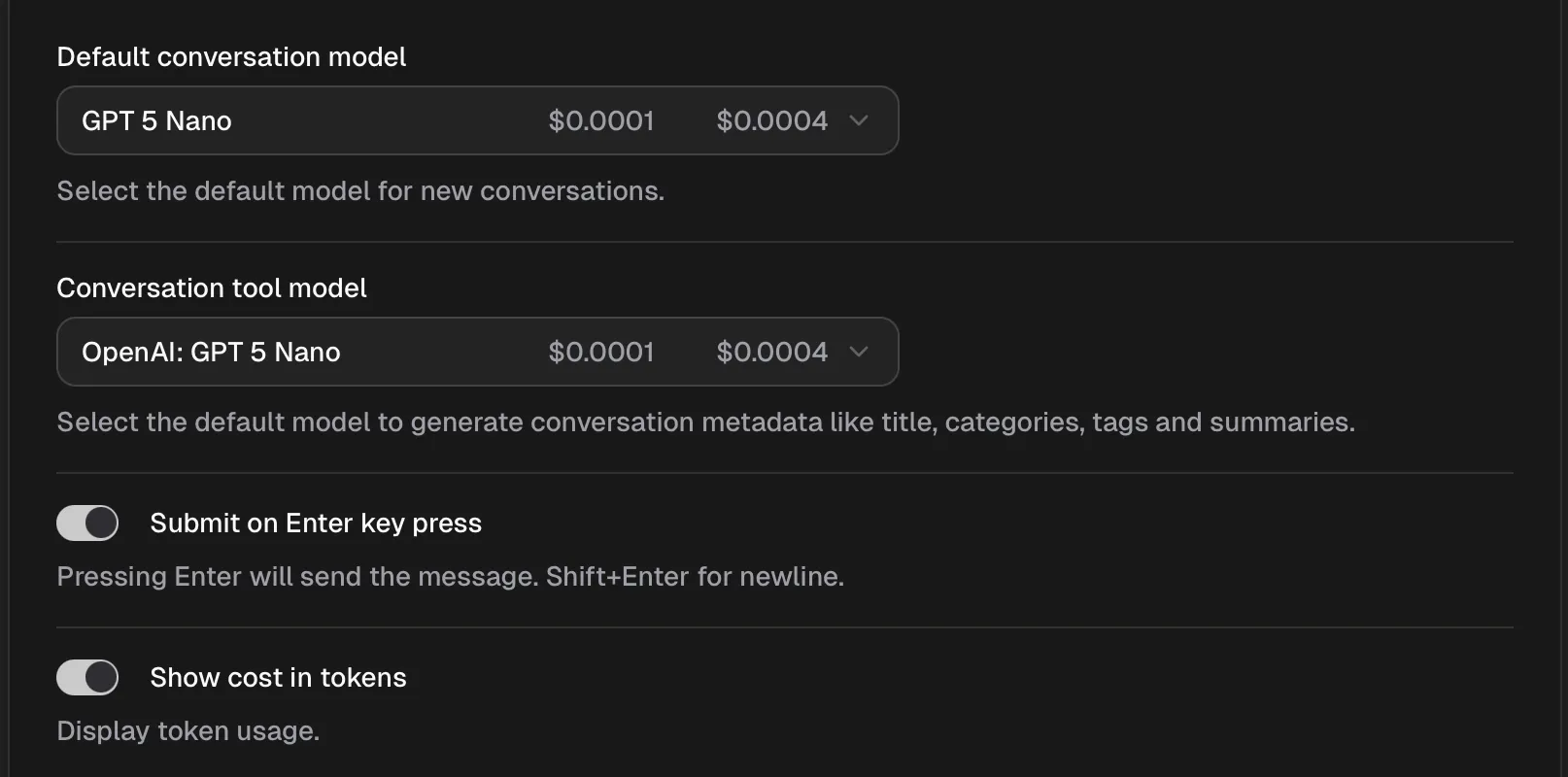
Hide or show specific AI models per provider and select default conversation models
Provider configuration
Configure API keys and preferences for each provider